
J.B. Hunt
Drive App
The Drive App is a mobile platform built for professional drivers to manage every aspect of their daily workflow in one reliable place. It streamlines essential tasks—picking up and delivering loads, navigating with integrated GPS and Google Maps, tracking schedules and pay, and reporting maintenance issues so drivers can stay focused and productive on the road. A built‑in text‑style messaging system keeps communication with Transportation Managers fast and clear, especially when unexpected issues arise. Designed for real‑world driving conditions, the Drive App reduces friction, improves coordination, and gives drivers the tools they need to stay informed, supported, and efficient throughout every trip.

Case summary
Product vision
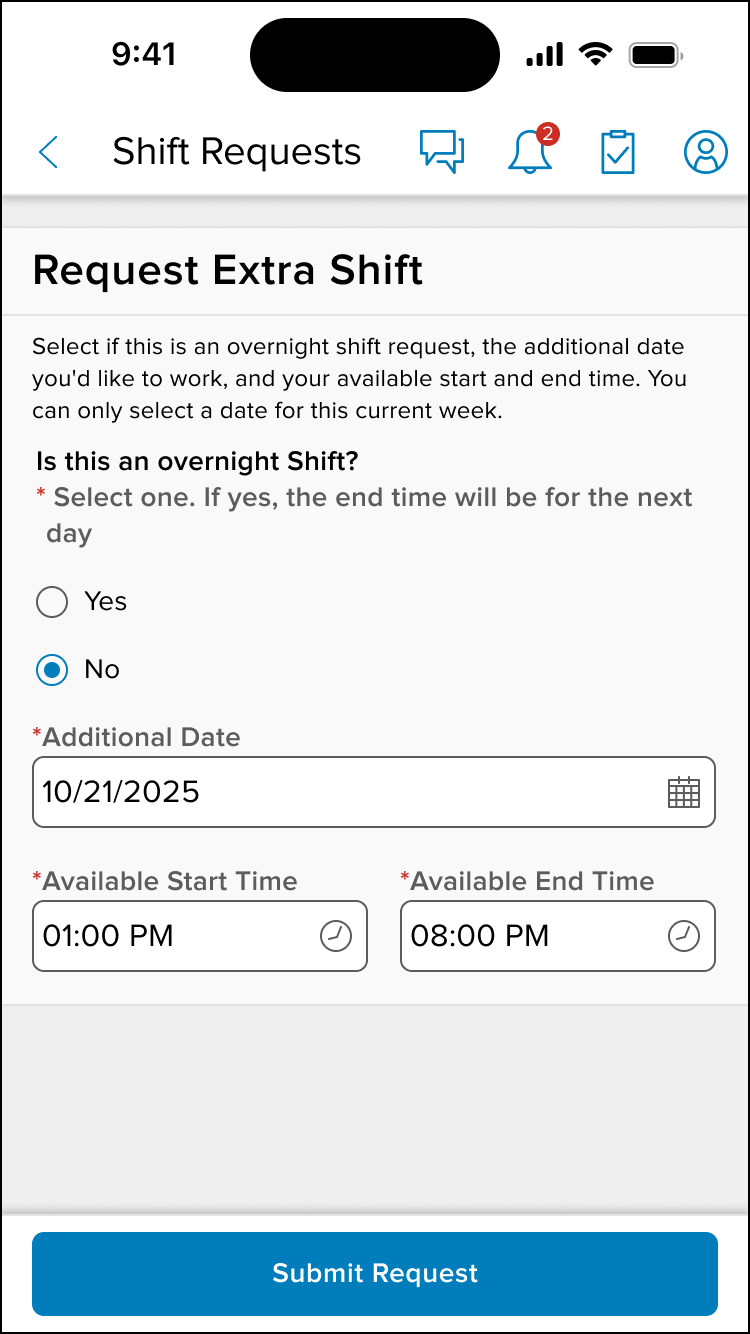
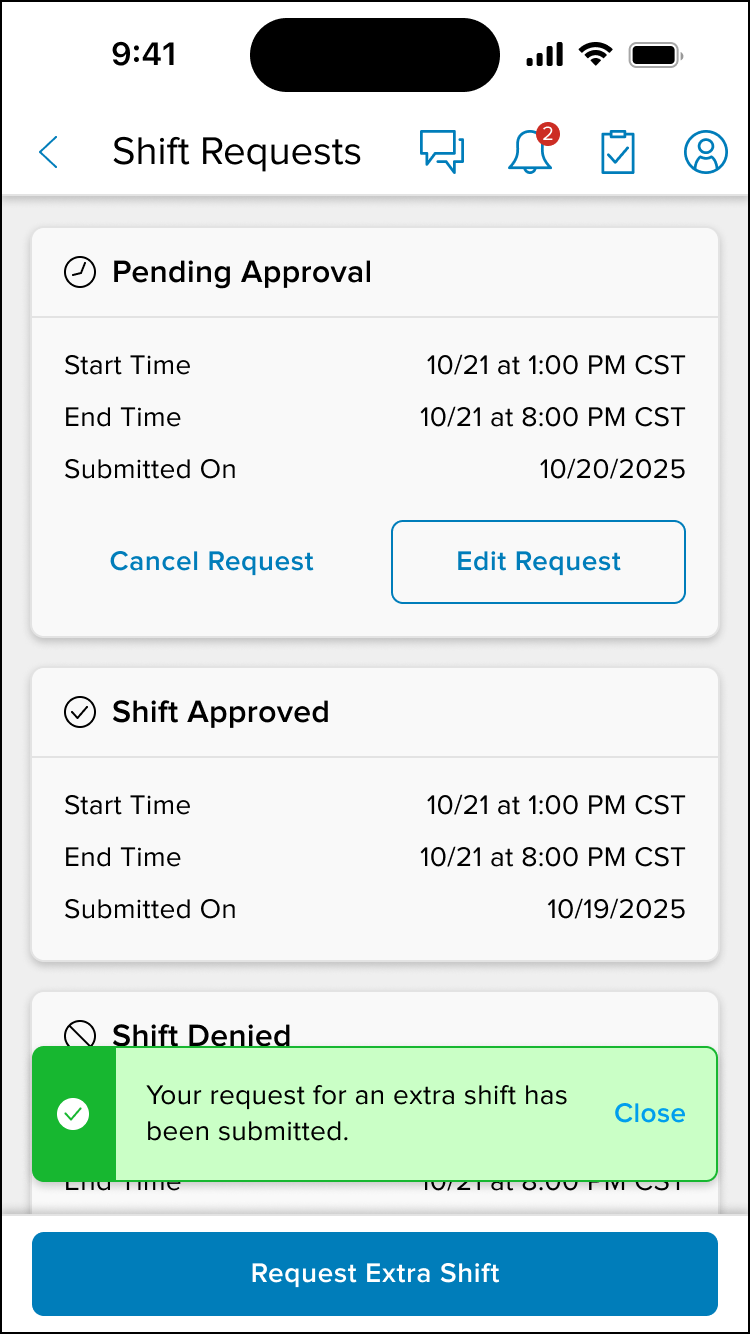
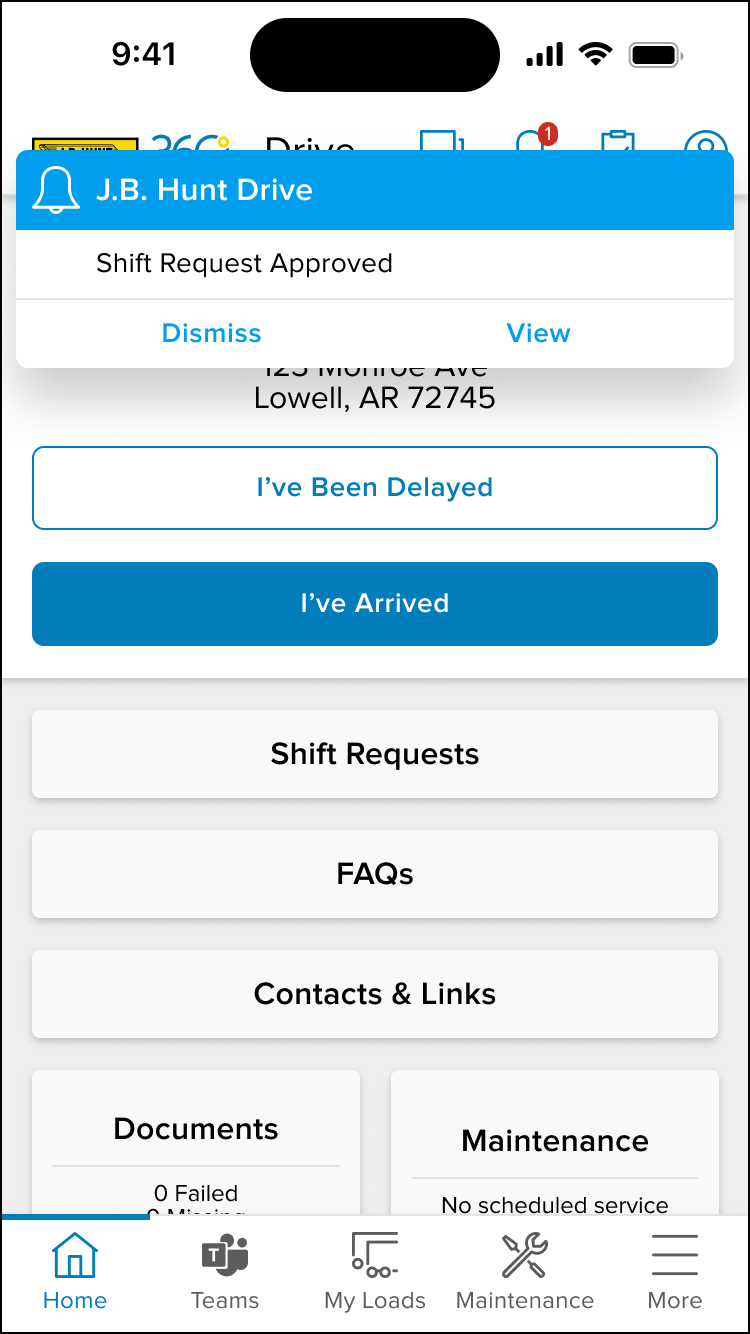
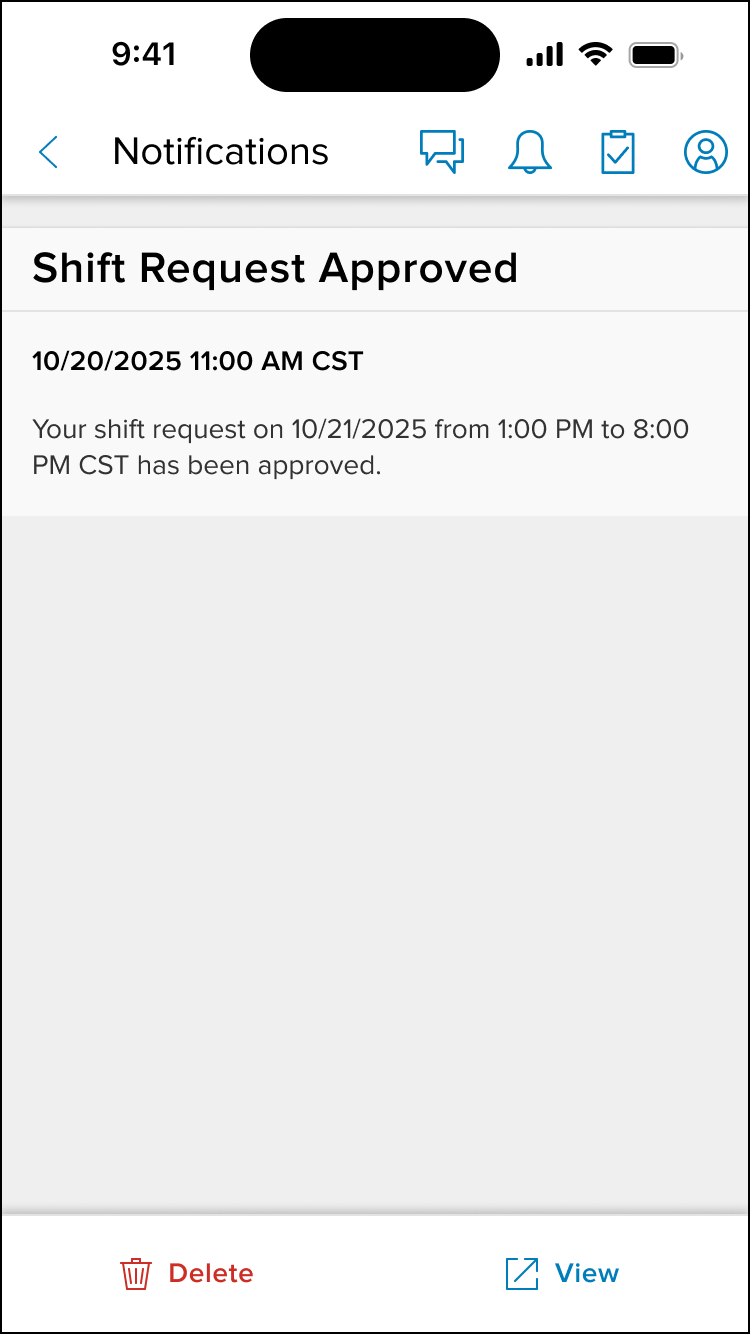
The product aims to give drivers complete clarity and control over their scheduling by providing a transparent, real‑time view of their additional shift requests. By enabling drivers to easily track request status, receive timely in‑app and push notifications, and stay informed without relying on manual follow‑ups, the experience supports better planning, reduces uncertainty, and strengthens trust in the scheduling process. Our vision is to create a seamless, reliable system that empowers drivers with the information they need—exactly when they need it to manage their work with confidence.
User needs
Drivers need a simple, reliable way to view their additional shift requests, understand whether each request is pending, approved, or rejected, and receive timely in‑app and push notifications so they can stay informed and plan their schedules with confidence.
Outcomes
The shift‑request experience is designed to give drivers greater clarity, predictability, and confidence in managing their schedules. By providing real‑time visibility into request status and timely notifications, the system reduces uncertainty, minimizes manual follow‑ups, and strengthens trust in the scheduling process. These improvements support smoother operations, faster decision‑making, and a more empowered driver experience overall.
Process highlights
Project plan and responsibilities
Product team
Consisted of: UX Designer, UX Researcher, Copywriter, Product Owner, 3 Development Squads, Business Analysts, and Product Manager.
Methodology
Design thinking-driven product development.
My responsibilities
UX Design, UX Research leveraging AI, Strategic Planning, and Facilitation.
Project plan
The project plan focuses on aligning the team around a clear product vision, using AI‑enhanced research to surface user needs quickly, and translating those insights into a streamlined, accessible experience. Design and engineering collaborate closely to iterate fast, validate decisions through continuous testing, and ensure smooth implementation. After launch, analytics and AI‑driven insights guide ongoing improvements, keeping the application efficient, intuitive, and ready to scale.

Cross-Functional Solutioning
I partnered closely with cross‑functional teams to run focused ideation sessions that helped us uncover pain points, align on priorities, and validate assumptions early. These sessions gave everyone space to share their perspectives while I facilitated the conversation, captured insights, and ensured we stayed grounded in the product vision. By asking clarifying questions and challenging ideas that didn’t align with user needs or research, I helped guide the group toward solutions that were both practical and strategically sound. This collaborative approach strengthened alignment, improved decision‑making, and ensured we moved forward with a clear, shared direction.
Estimated outcomes
The shift‑request feature is expected to increase driver clarity, reduce scheduling uncertainty, and improve overall trust in the process through real‑time status visibility and timely notifications.
Results
The new shift‑request experience showed strong adoption through analytics, with drivers reporting higher satisfaction in in‑app feedback, interviews, surveys, and usability testing. Transportation Managers also noted major time savings, as the simplified workflow reduced phone calls and manual follow‑ups. Overall, the feature improved clarity, communication, and efficiency across the scheduling process.