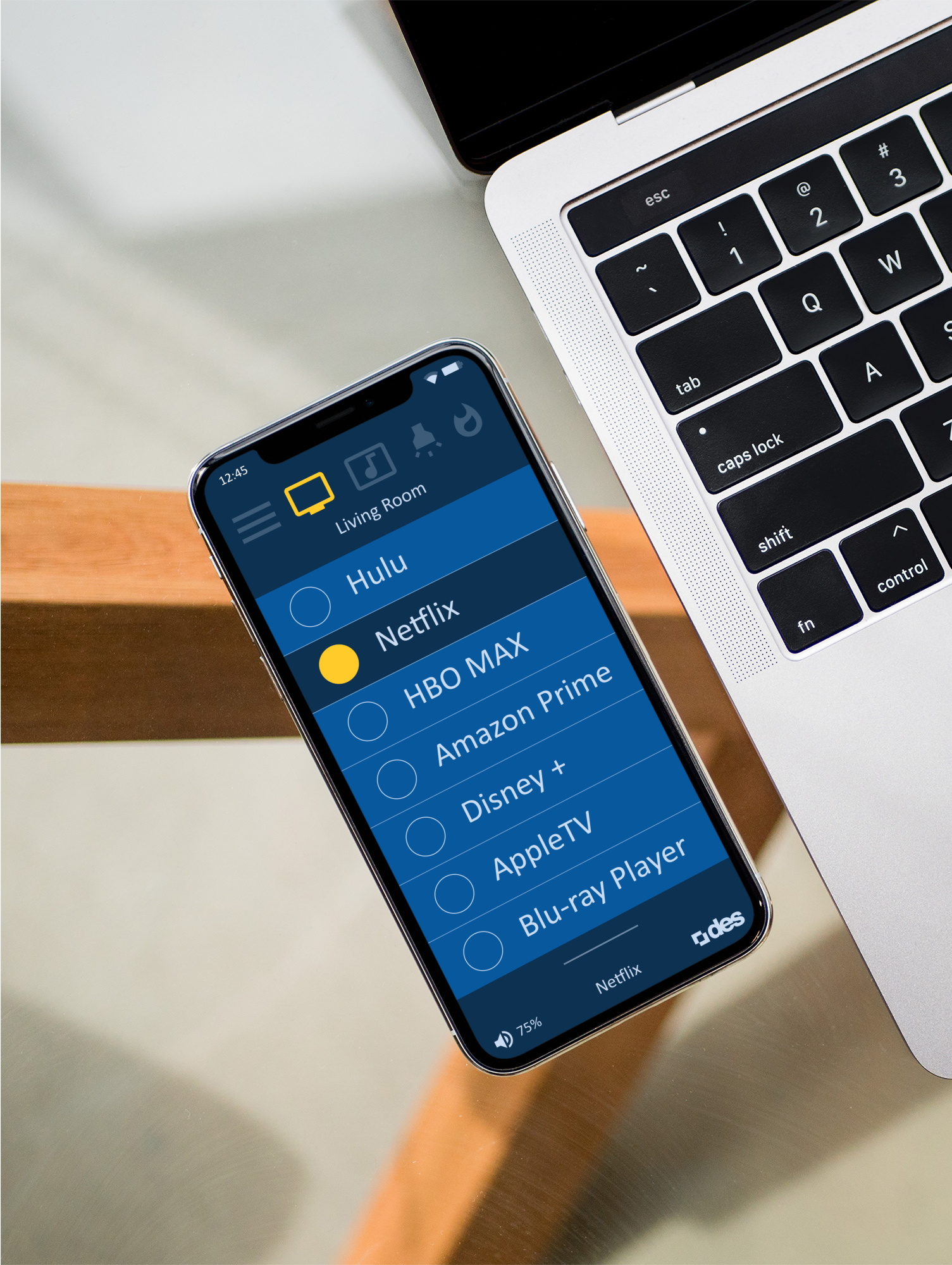
Total Home Control
Digital Entertainment Systems (DES)
DES is an electronics automation service, providing solutions for residential and commercial purposes. Their services include professional lighting design, electrical services, home automation, integrated audio & video, networking, lighting control, motorized shades, security, surveillance cameras, climate control, and more.
I was hired to work with the tech director and lead developer to create a new, more accessible product that would outperform their current product. Users needed a better, smoother, and less cumbersome experience while controlling their devices.

Case summary
Product vision
Redesign the current mobile app that was causing the users a lot of pain and headaches. The current platform was organized in a way that did not give the users a clear idea of how to control their homes. Extensive user training was required to reach basic functionality and this needed to be corrected by building a better user experience.
User needs
The users are paying top dollar for this service. They do not want to spend a lot of time trying to figure out how to use their devices. Difficulties using the app and time-wasting defeated the purpose of the smart home experience. The objective is to provide a smoother ride for our valued customers.
Outcomes
The final application was created after rigorous internal testing, research, data collection, and user feedback. This helped us build a more compelling experience for the end-user and created more business opportunities.
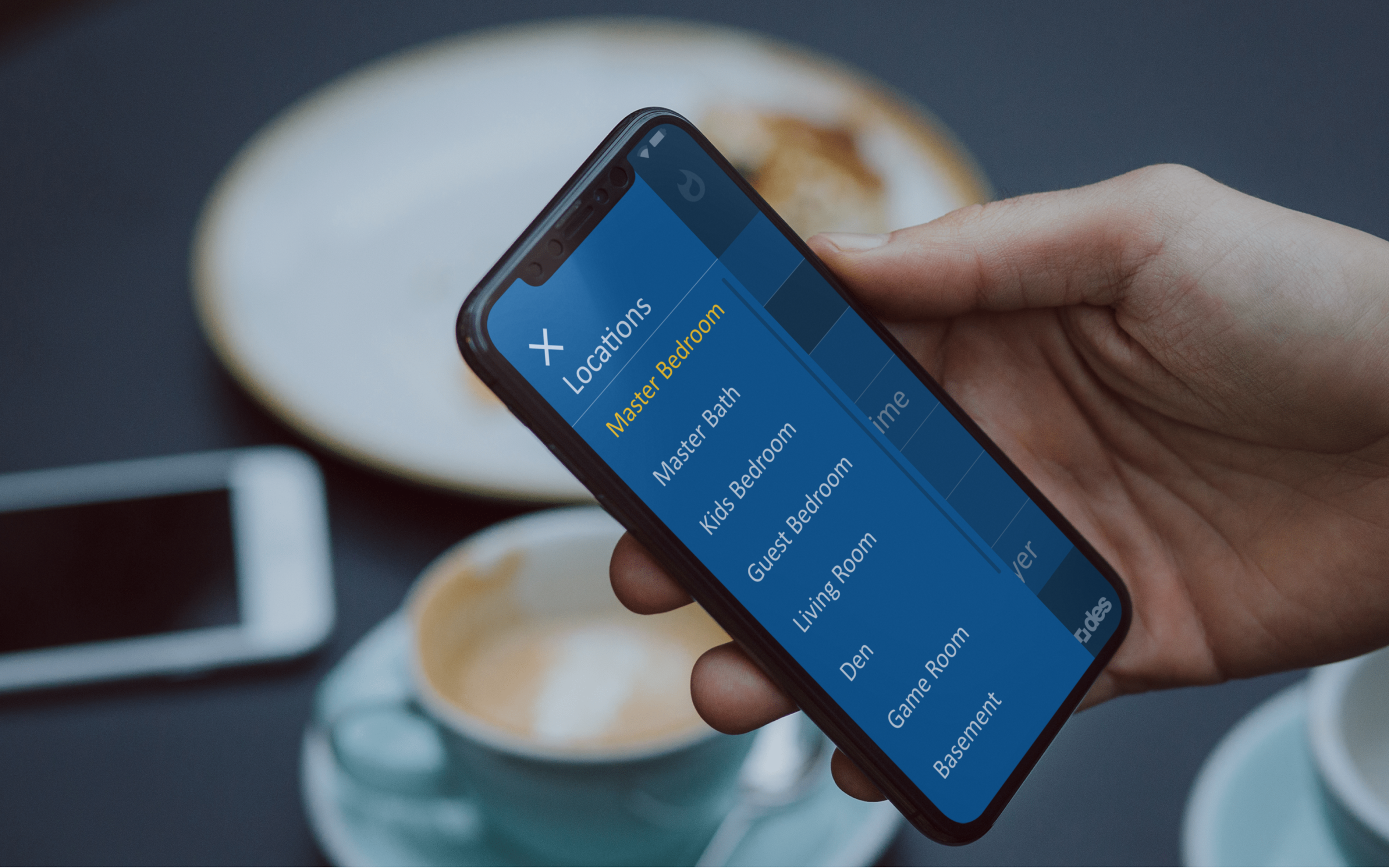
Process highlights
Project plan and responsibilities
Product team
Consisted of: UX designer, Product manager, Software Developers, Tech Director, and VP of Sales.
Methodology
Design thinking-driven product development.
My responsibilities
UX and UI Design
Project plan
Discover the roadblocks, research, ideation, plan the initial concept, followed by prototyping, development, testing, and going to GA.

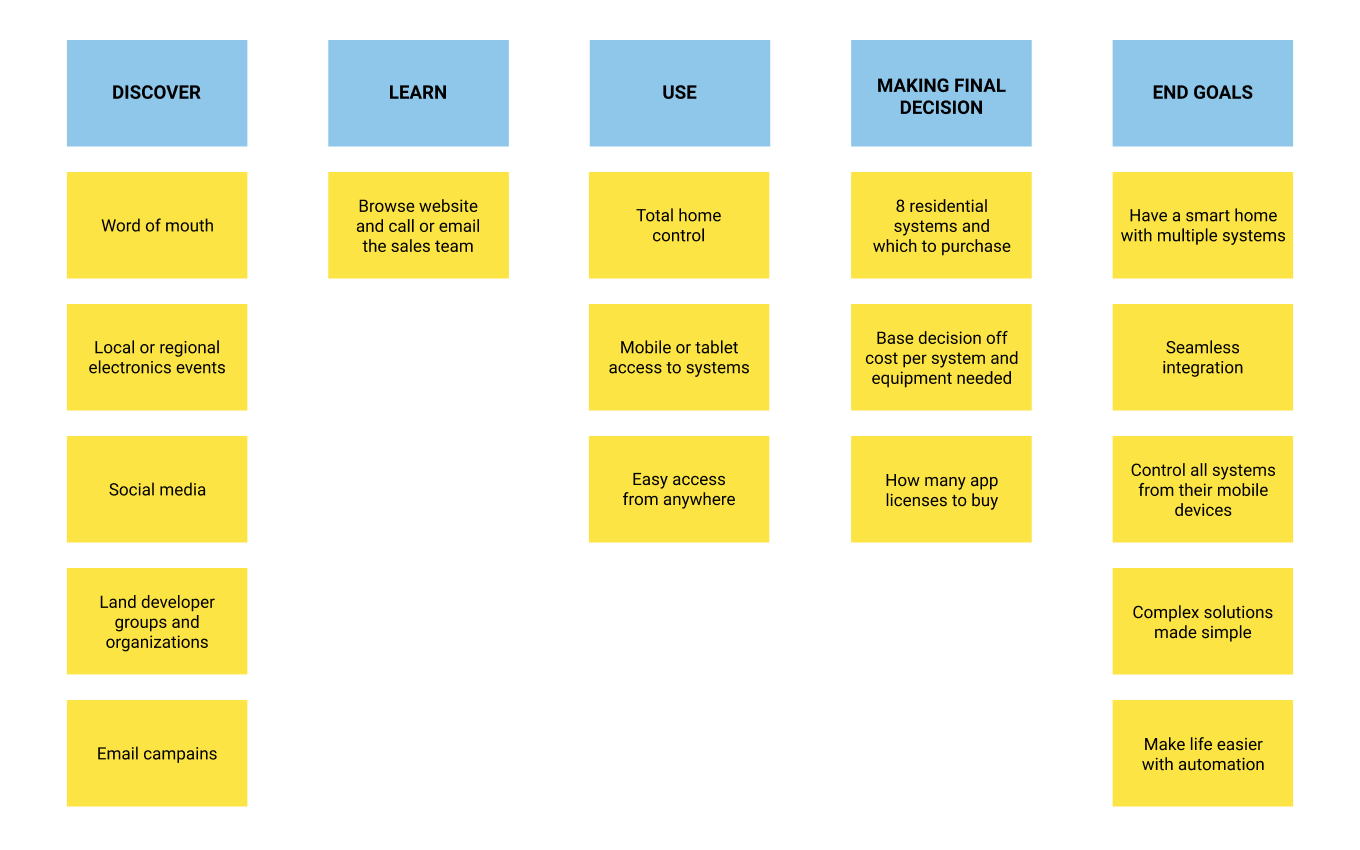
User journey map
Tom and Lisa are a wealthy, middle-aged couple looking to add some flair to the new home they are building. They want to add multiple smart home features that they can control through their mobile devices.
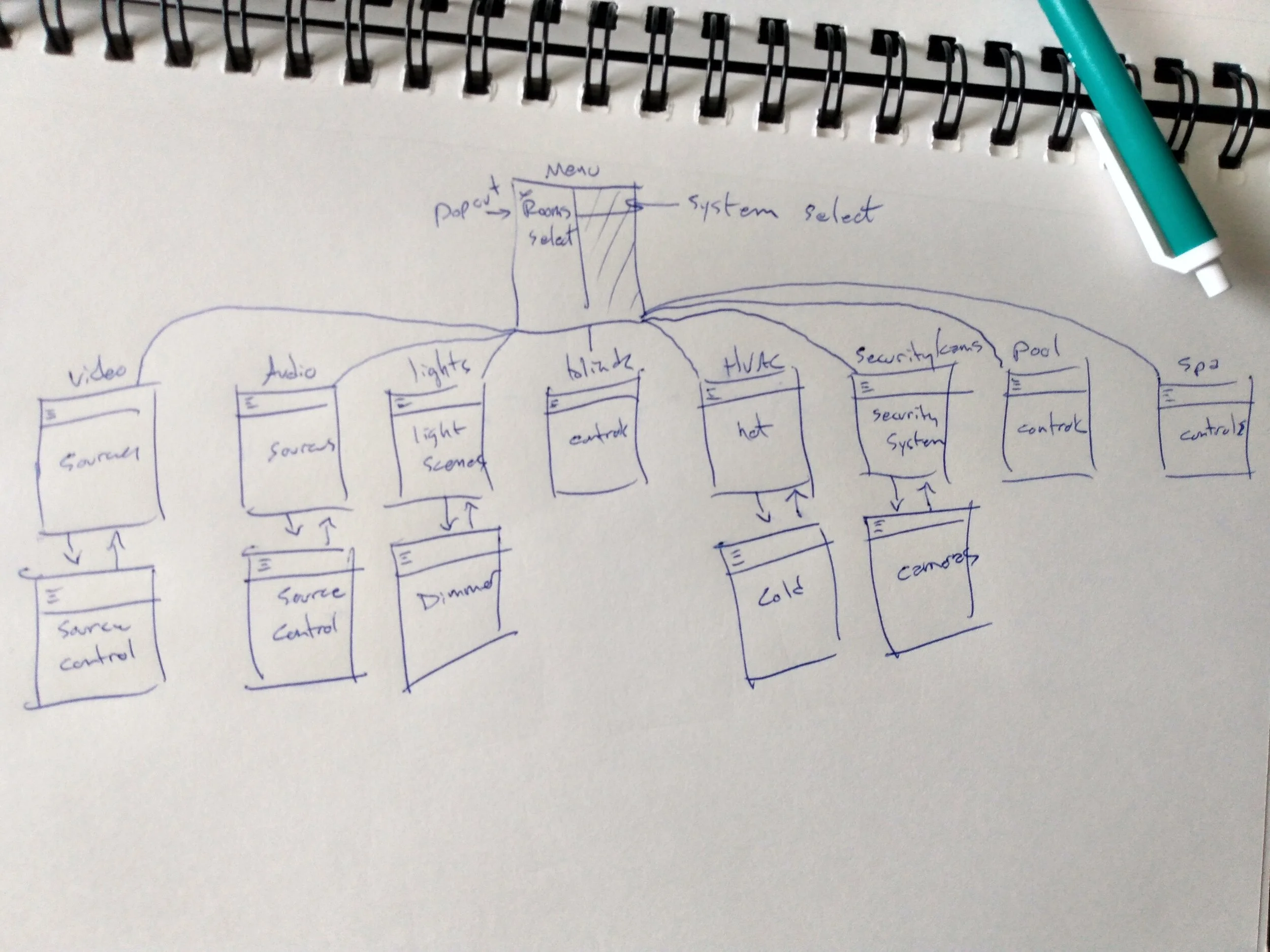
User flow
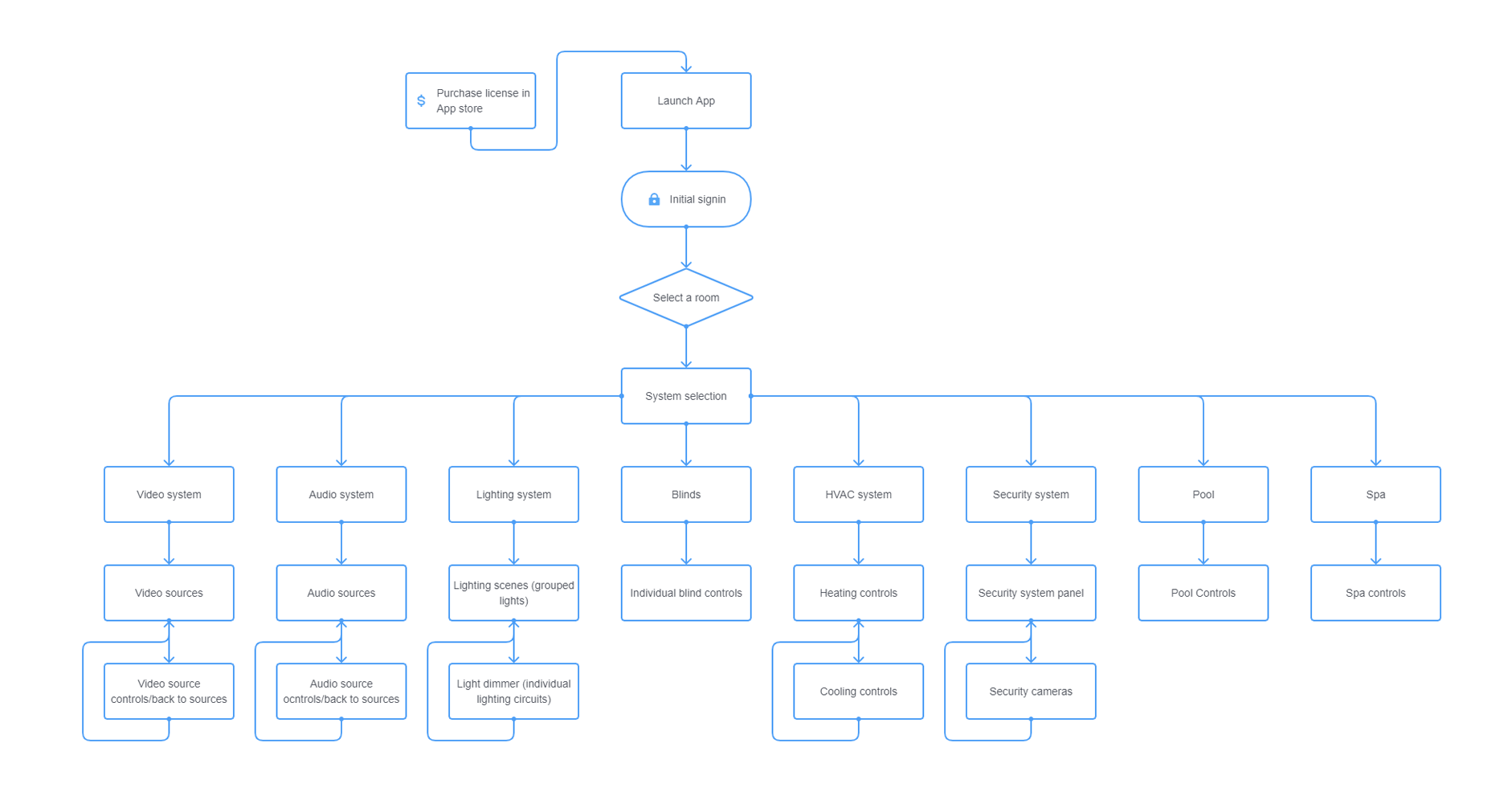
Knowing that we have a large number of customers already working with us, we were able to have them come into the studio and observe them using the device. We already had seen the way they were using the old application and took that into account during the planning phase of the new app. The areas of pain were completely redesigned, as well as the visual design experience. Our initial testing was with the video control system, which is the most commonly purchased system. We were able to translate that to the other systems in the application and conduct further testing. This allowed us to create a coherent design with a more pleasing visual experience.
Interactive Prototype
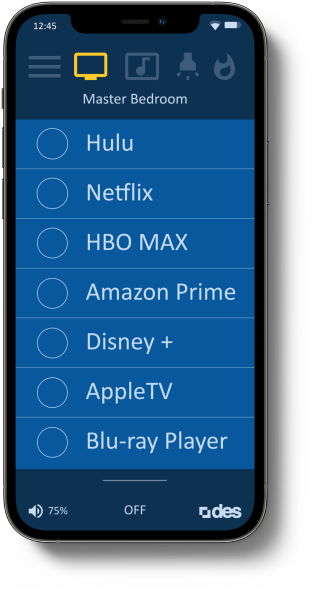
To align the team around the intended experience, I developed an interactive prototype that demonstrated the core user flows and product vision. This early artifact played a critical role in communicating how the application should feel and function, enabling stakeholders to evaluate the experience before development began. Click the iPhone to view a quick walkthrough of the concept.
For this demo, only the Apple TV section, the hamburger menu, and the swipe up/down menu are interactive. You can also turn off the AppleTV once it’s turned on.
Demo made with Figma
Estimated Outcomes
Build a more compelling experience for the end-user and create more business opportunities.
Results
User satisfaction improved noticeably after the redesign, with customers reporting easier setup, clearer controls, and more reliable automation. Behavioral analytics confirmed stronger performance: core tasks became easier to complete, session times shortened, and setup errors declined, indicating reduced friction across key flows.
Product reviews shifted from comments about app complexity to praise for intuitive controls and dependable performance. These qualitative signals aligned with improved conversion and retention. Overall, the redesign delivered a cleaner, more reliable experience that increased user confidence and commercial performance.